Remote Support
Enter your session code and click Connect and receive managed handsfree remote support for your devices.
Instructions
- After pressing Connect, a small application will download; please check in the downloads folder of your computer.
- Open the application, follow the instructions and click Yes to any security prompt.
For MAC Users, please follow additional settings:
1
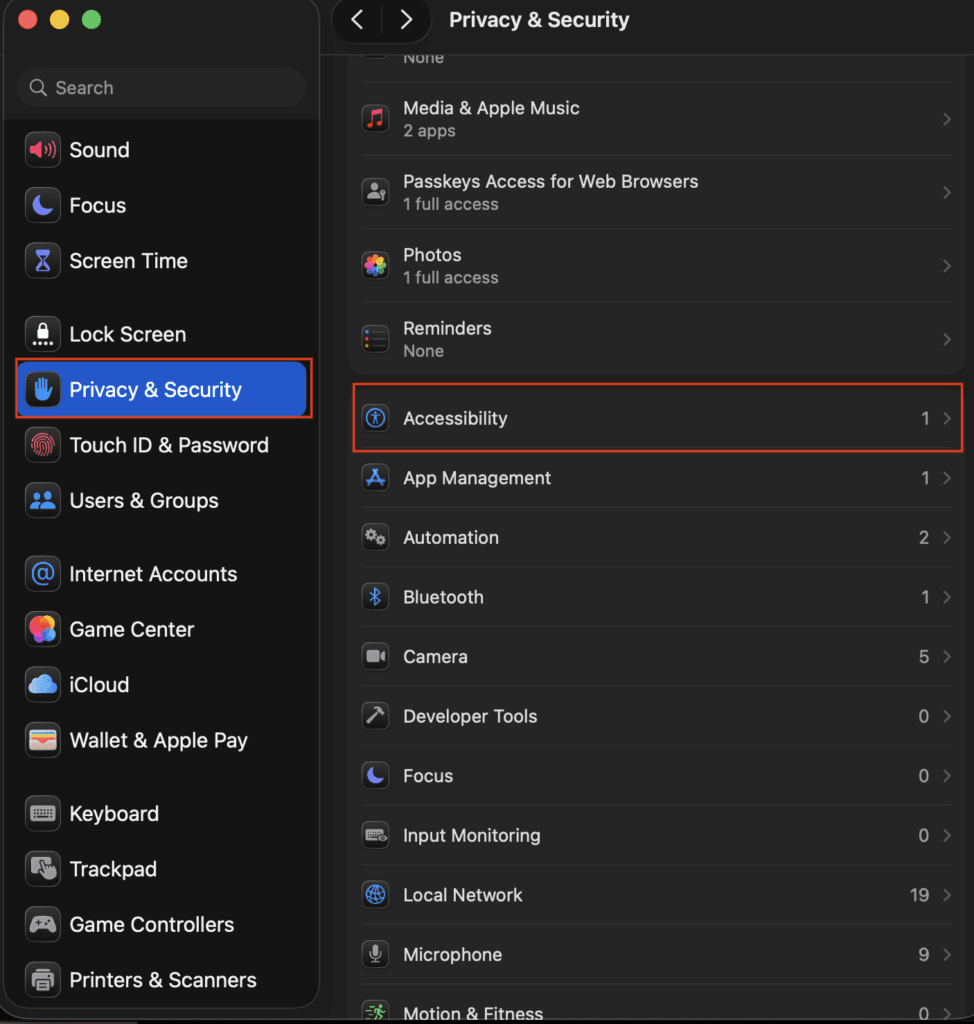
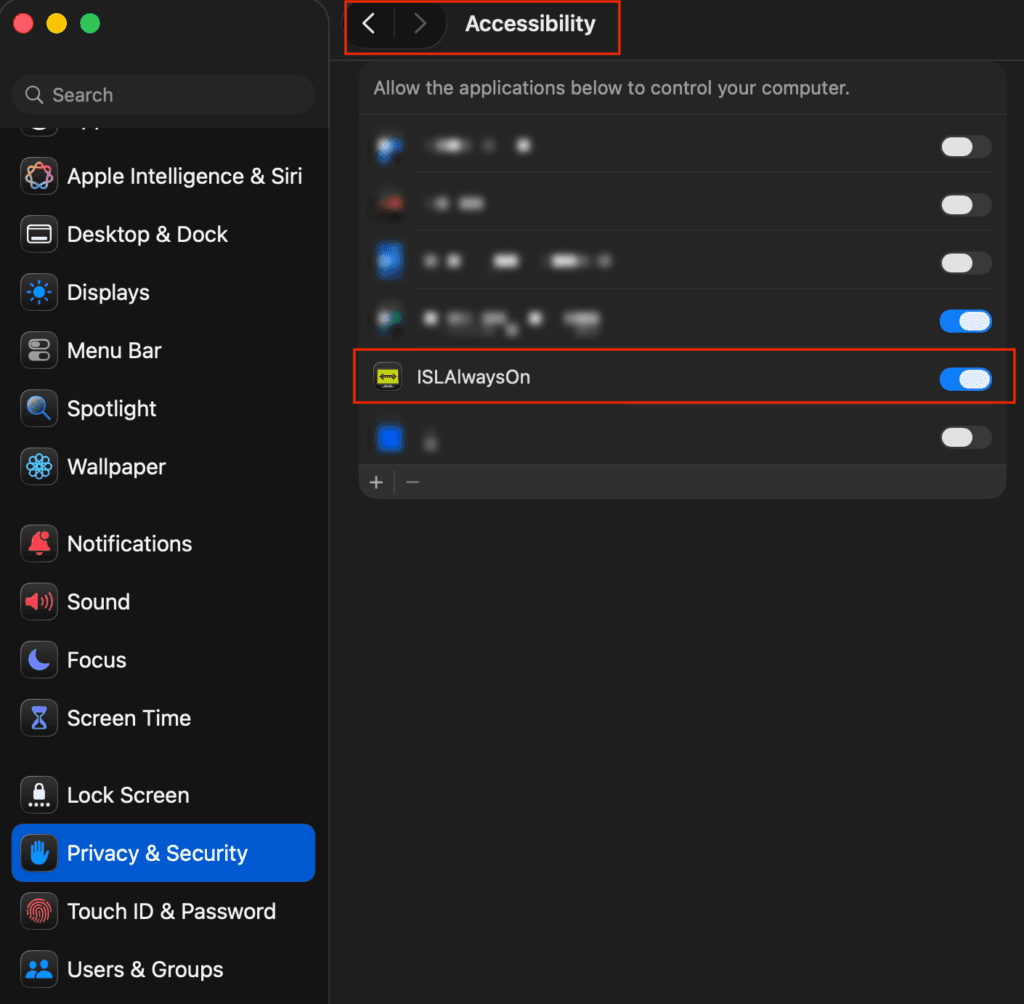
Go to System Preferences > Privacy and Security > Accessibility
Enable ISLAlwaysOn.
2
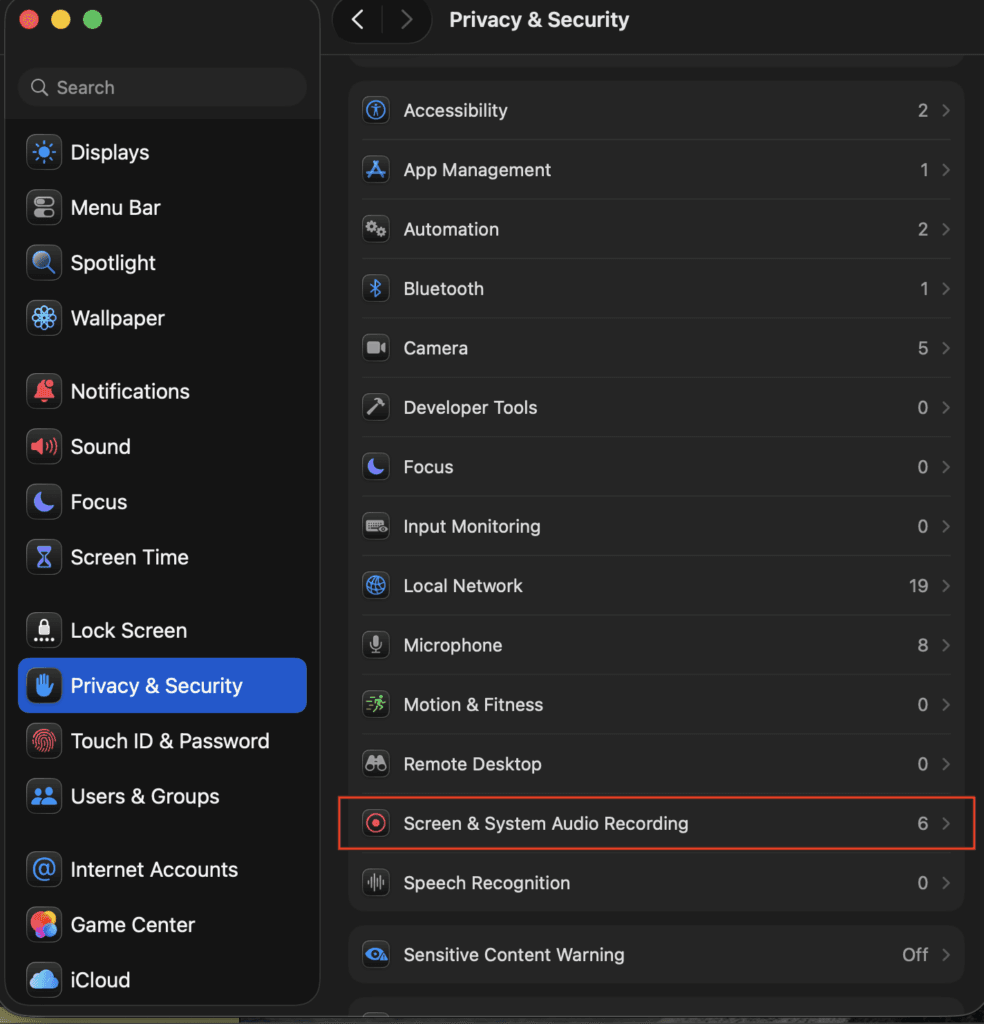
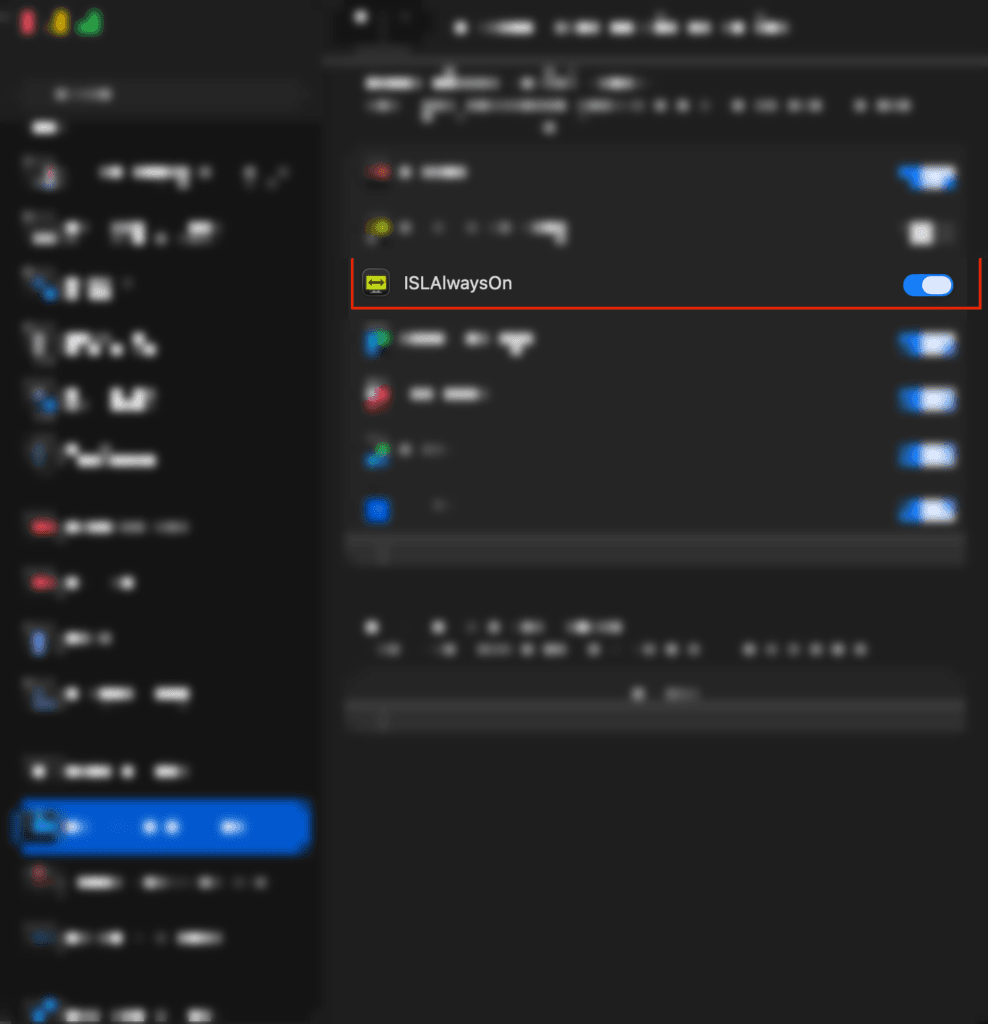
Go to System Preferences > Privacy and Security > Screen and System Audio Recording
Enable ISLAlwaysOn.